Self-Managed BitBucket
Torque supports connecting to self-managed BitBucket repositories, allowing you to discover and manage assets stored in your on-premises BitBucket instance. Communication with the server happens through a Torque agent installed on your network, as described in Using Self-Managed source control providers.
Prerequisites
- Agent: a Torque agent connected to the space, with network access to your self-managed BitBucket instance.
- Access token: a BitBucket personal access token with the following permission scopes:
apiread.apiread.repository
Configuration
- Select the space in the space selection dropdown, go to Automation > Repositories, and click Add Repository.
- In the Select a Repository Provider step, select BitBucket and click Next.
- In the Connection step, fill in the Details: the Repository URL on your BitBucket server, a Repository Name, and optionally a Branch.
- Select Self Managed Repository.
- Under Credentials, enter a Credentials Name (or pick existing credentials from the store) and the Personal Access Token.
- Under Available Agents, select the agent (or agents) that can reach your BitBucket server, or turn on All Agents.
- Click Test Connection to verify that the agent can reach the repository, then click Connect.
- Once connected, Torque discovers the assets in the repository. For more information on asset discovery, refer to Discover Your Assets.
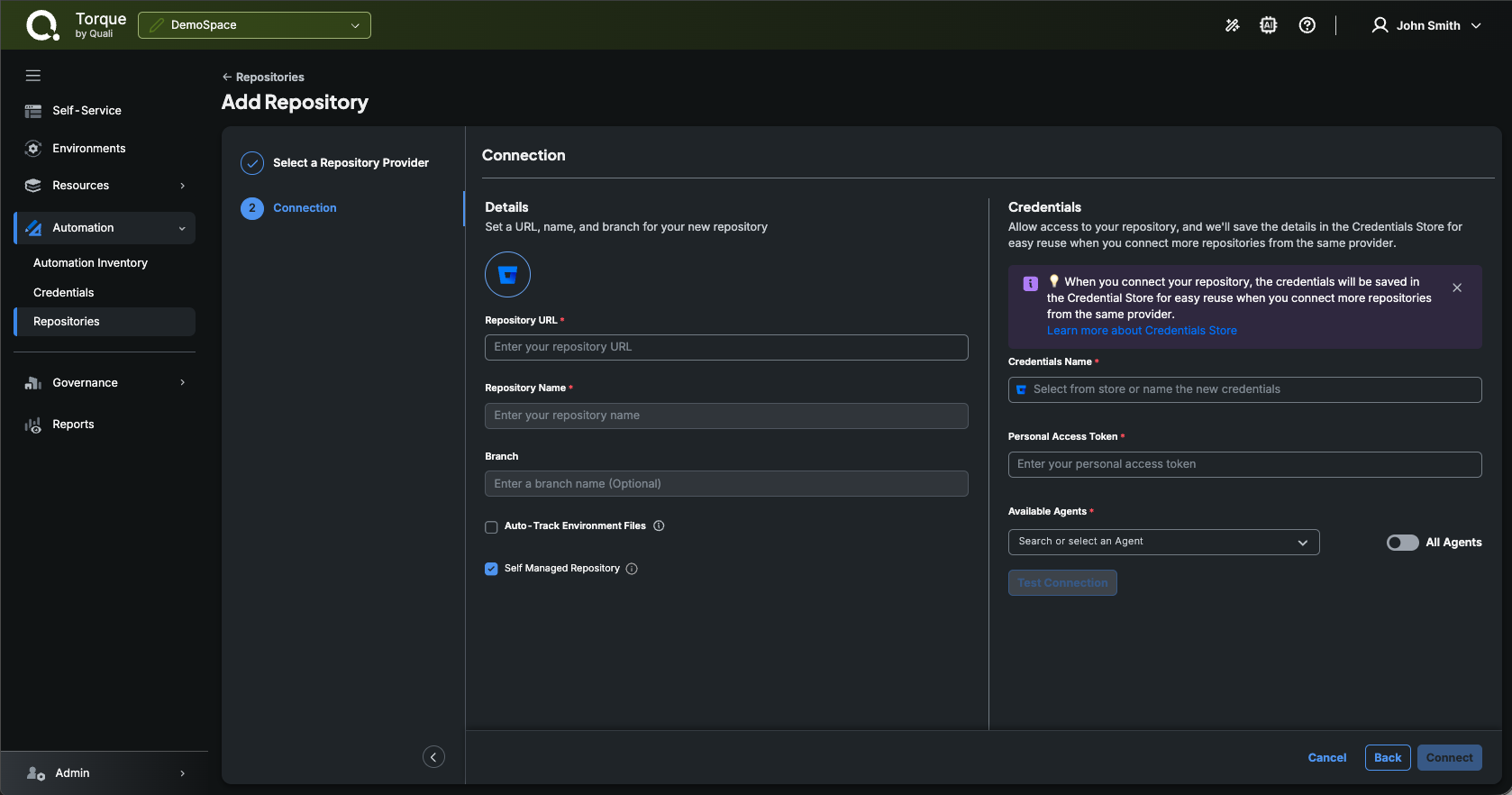
With a self-managed BitBucket repository configured in Torque, you can seamlessly manage and version control your assets stored in your on-premises BitBucket instance.